Every time you type a website into your browser and press Enter, several things happen behind the scenes before the page appears on your screen. Your browser finds the website, connects to its server, and gathers the information needed to display the page. But how does it all happen so quickly? From understanding how DNS works to seeing how your internet connection affects loading times, here’s a simple breakdown of what happens when you visit a website.
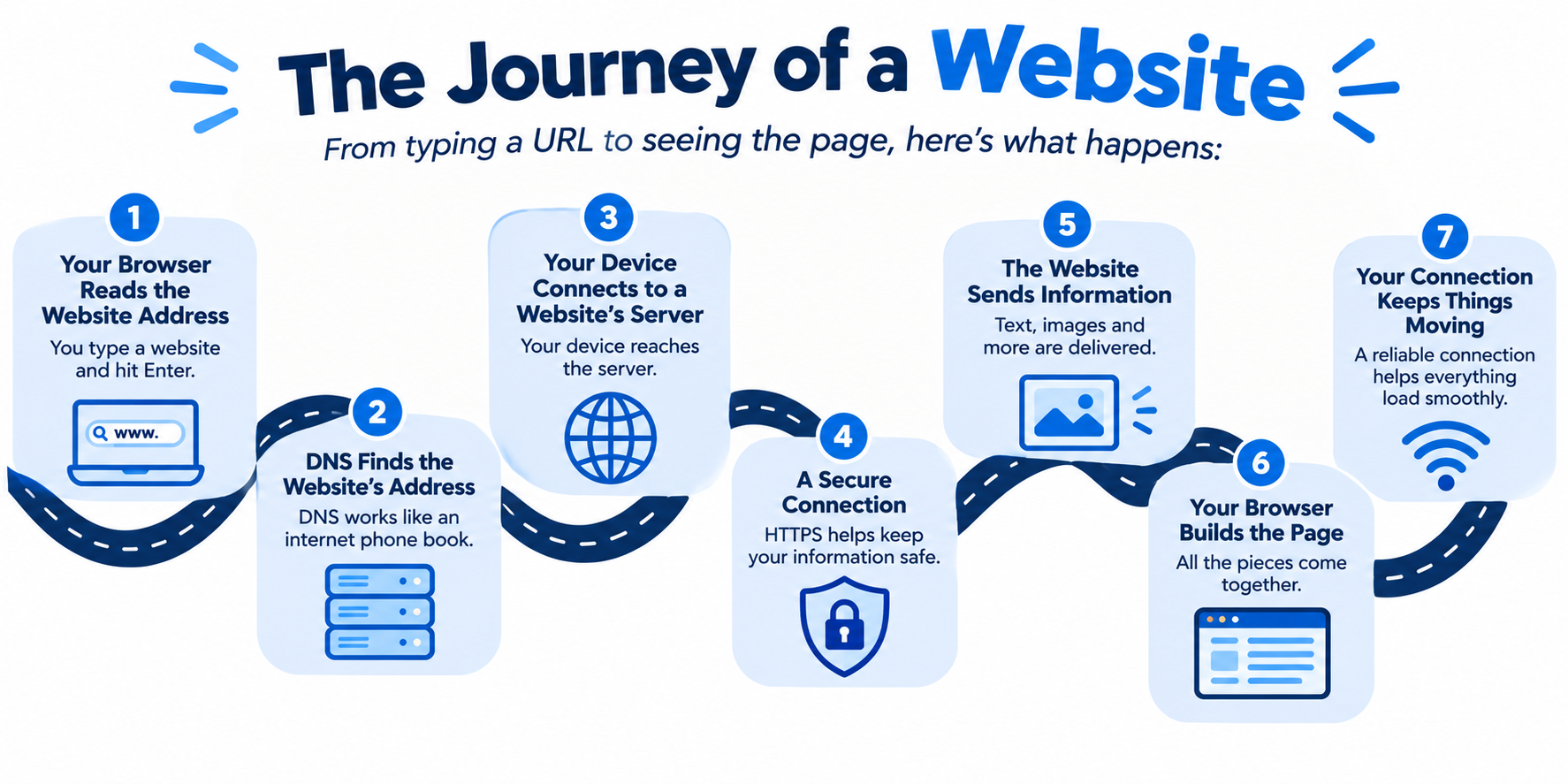
1. Your Browser Reads the Website Address
First, you type a website address into your browser and press Enter.
Your browser is the app you use to visit websites, such as Chrome or Safari. Think of it as your starting point for exploring the internet.
When you enter a website address, your browser uses it to figure out which website you want to visit. But before it can show the page, it needs to find the website online.
2. DNS Finds the Website’s Address
Every website has a digital address that helps computers find it online. These addresses are made up of numbers, which would be difficult for most people to remember.
That’s where something called the Domain Name System (DNS) comes in.
Think of DNS as the internet’s phone book. Just as you look up a person’s name to find their phone number, DNS helps match a website’s name with the digital address needed to reach it.
For example, when you type a website’s name into your browser, DNS helps your device find the correct destination. This usually happens so quickly that you never notice it.
3. Your Device Connects to the Website’s Server
Once your browser finds the website’s address, it connects to a computer called a server.
A server is a computer that stores or delivers a website’s information, including its text, pictures, and other content.
You can think of it like ordering something from a store. Your browser requests the webpage, and the server sends the information needed to display it.
Your internet connection carries that information between your device and the website’s server. Depending on the website and where its server is located, the information may travel through several parts of the internet before reaching its destination.
4. Your Browser Establishes a Secure Connection
Before you start browsing, your device may also establish a secure connection with the website.
Many websites use HTTPS, which helps protect information as it travels between your browser and the website. This is especially important when signing in to an account, shopping online, or entering payment details.
You can usually spot HTTPS at the beginning of a website address.
Keep in mind that HTTPS helps protect your connection, but it doesn’t automatically mean a website is legitimate. Always make sure you’re visiting a website you trust before sharing personal information.
5. The Website Sends Information to Your Browser
Once your browser connects to the website, it starts receiving the information needed to display the page.
This includes things like:
Text: The words you read on the page.
Pictures or videos: The images and media you see.
Design: The colors, fonts, and layout that make the website look the way it does.
Interactive features: Buttons, menus, and other elements you can click or use.
Your browser gathers this information and gets it ready to display. Some websites send everything at once, while others load different parts as you browse.
That’s why you might see text appear before all the pictures finish loading.
6. Your Browser Builds and Displays the Page
After receiving the necessary information, your browser puts all the pieces together to create the webpage you see on your screen.
It arranges the text, displays the pictures, applies the website’s design, and makes buttons and other features work.
This is why you don’t need to understand computer code to use a website. Your browser does the work behind the scenes, turning the information into a page you can read, watch, and interact with.
Once the page is ready, you can click links, watch videos, shop online, or move to another page. Each new action may trigger additional requests for information.
7. Your Internet Connection Helps Keep Everything Moving
Your internet connection helps move information between your device and the website you’re visiting. If that information takes longer to travel, you may notice a delay when opening a page.
A few things can affect how quickly a website loads:
Internet Speed: A faster connection can help download large files, pictures, and videos more quickly.
Connection Quality: A weak Wi-Fi signal can make it harder for your device to communicate with your router.
Network Traffic: When many devices are using your connection at the same time, you may notice changes in performance.
The Website Itself: Some websites take longer to load because they contain lots of images, videos, or other content.
The Website’s Server: If the server is slow or experiencing problems, the page may take longer to appear, even with a fast internet connection.
How Long Does It Take for a Website to Load?
You may notice that one website opens almost instantly while another takes a while to load. That’s because not all websites work the same way.
Simple websites with mostly text may load quickly, while websites with large images, videos, or animations may need more time. Your browser can also save certain website information on your device. This is called caching, and it can help websites load faster when you visit them again. Your browser may not need to download everything a second time.
Your internet connection, the website’s design, and the server all work together to determine how quickly a page appears.
A reliable internet connection like altafiber helps websites load smoothly, so you can spend less time waiting and more time online.
Frequently Asked Questions
What is the difference between a web browser and a search engine?
A web browser is the app you use to access websites, such as Google Chrome or Safari. A search engine, like Google or Bing, helps you find websites and information by searching for keywords or questions.
Can I visit a website without using Google?
Yes! You can visit a website by typing its full web address directly into your browser’s address bar. You don’t need to search for it first.
What does it mean when a website is down?
A website is considered down when people cannot access it normally. This can happen if the website’s server is experiencing problems, undergoing maintenance, or dealing with unusually high traffic.
What is the difference between HTTP and HTTPS?
HTTP and HTTPS are communication methods that allow your browser and a website to exchange information. HTTPS adds encryption to help protect information, such as passwords and payment details, while they travel between your device and the website.
Why do I sometimes have to refresh a webpage?
Refreshing a webpage tells your browser to request the page again. This can help when a page doesn’t load correctly, displays outdated information, or gets stuck while loading. However, refreshing won’t fix problems caused by a website outage or internet connection issue.